Run a promotion
What it's for
Promotions are the discounts and deals you offer guests — a percentage off, a flat amount off, a bundle price, or a scheduled happy hour. You build a promotion as a draft, then publish it on a one-time or recurring schedule.
Where to find it
- Web
- iOS
- Android
Choose Promotions from the sidebar's overflow (⋯) menu (route
/promotions). You can also reach it from the Promotions tab on
the Menu page.
Open Promotions from the app.
Open Promotions from the app.
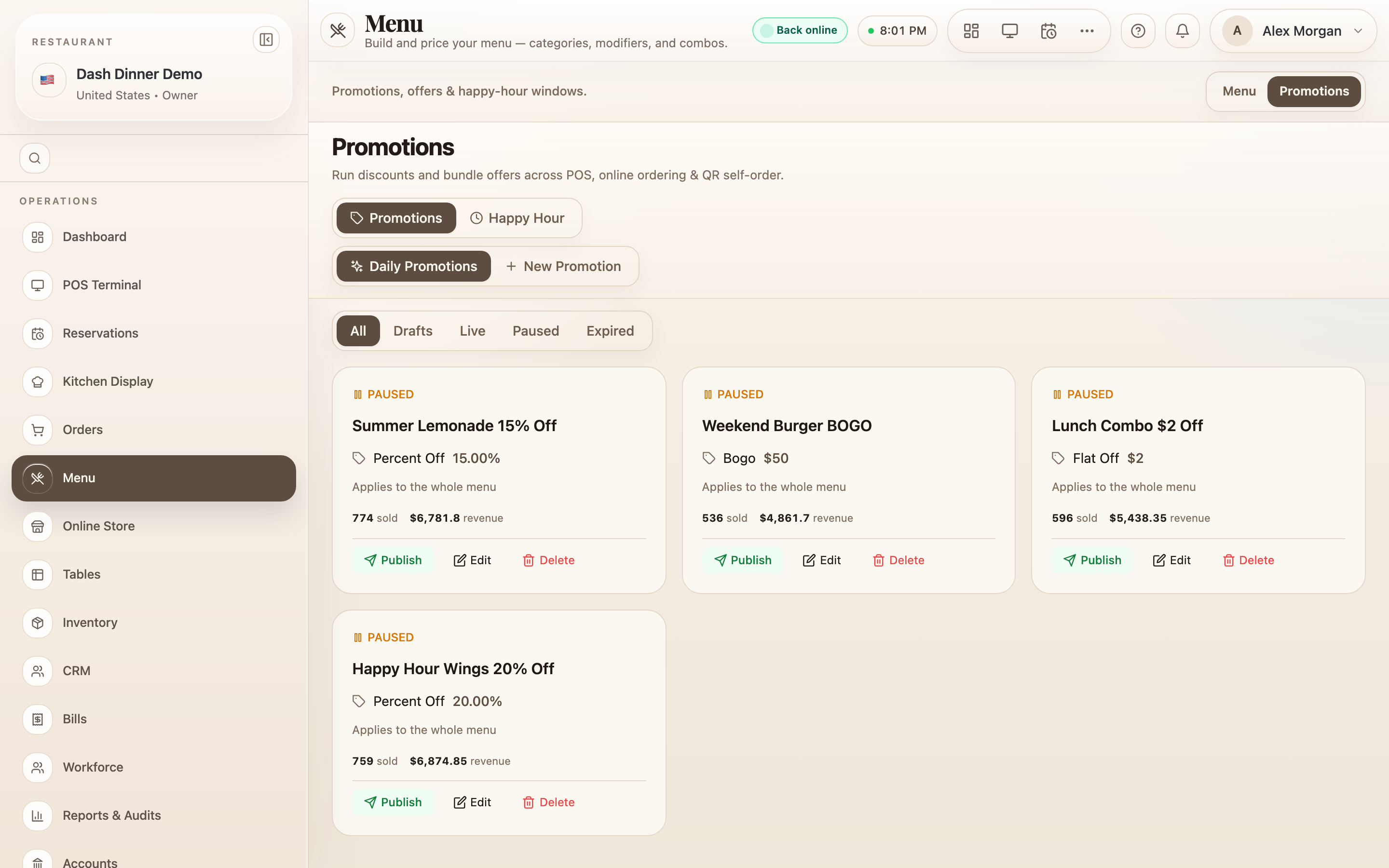
At the top, a toggle switches between Promotions and Happy Hour. The list can be filtered by status — All, Drafts, Live, Paused, Expired.
Create a promotion
- Choose New Promotion.
- Pick the kind of offer:
- Discount offer — money off. Set the Discount Type to % Off or Flat Off.
- Bundle offer — a set of items for one bundle price.
- Fill in the fields.
For a discount:
- Offer Title * and a customer-facing Description.
- the discount value (Discount % or a flat amount) and optional Badge Text.
- Applies to — Specific items, Categories, or Whole menu, with a picker for the first two.
For a bundle:
- Bundle Price *, optional Badge Text (e.g. COMBO), an optional Bundle Photo, and the Bundle Items * that make up the deal.
Then save with Save as Draft (new) or Update (editing). Promotions always start as a draft — publishing is a separate, deliberate step.
Schedule it live
Publishing opens the Publish Promotion window, where you choose when it runs:
- One-time window — set Starts At and Expires At.
- Recurring daily — pick the weekdays it's Active on and the From / To times.
Choose Go Live to publish.
Managing promotions
Each promotion card shows its status — Live, Draft, Paused, or Expired — with actions to match:
- Publish a draft or paused offer, or Pause a live one.
- Edit and Delete are available while an offer isn't live — pause it first to change it.
Worked example
20% off starters, weekday evenings. Choose New Promotion, Discount offer, set Discount Type to % Off and the value to 20. Under Applies to pick Categories → Starters, add badge text 20% OFF, and Save as Draft. Then publish as Recurring daily, Active on Mon–Fri, From 18:00 To 21:00, and choose Go Live.
Tips & things to watch
- ✅ Drafts are safe to build. Nothing discounts a guest's bill until you Go Live.
- ✅ Use Happy Hour (the top toggle) for time-of-day drink and food pricing — it's purpose-built for recurring daily windows.
- ⚠️ To change a live offer, pause it first — editing and deleting are blocked while it's running so you don't alter a promotion mid-service by accident.